
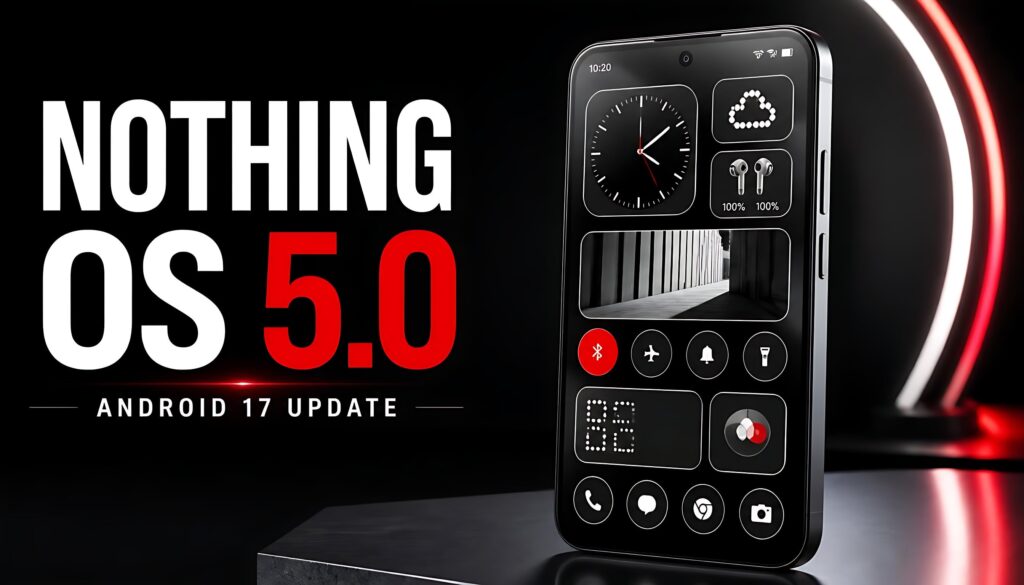
Nothing OS 5.0 is now rolling out to the Nothing Phone (3), bringing Android 17, a redesigned home screen, expanded personalization, improved Essential AI tools, and new system features. The stable release began on October 12, 2026, but the update will reach eligible devices in stages rather than arriving everywhere at once.
Nothing has also published a rollout schedule for other Nothing and CMF phones, with updates planned from November 2026 through January 2027. Here is what is new in Nothing OS 5.0, which phones are eligible, and how to check whether the update is available for your device.
Nothing OS 5.0: Quick Highlights
- Stable rollout started: October 12, 2026, for the Nothing Phone (3).
- Operating system: Based on Android 17.
- New design: Updated icons, wallpaper-aware colors, transparent widgets, and refreshed layouts.
- More personalization: New clock faces, batch home-screen editing, and improved Glyph controls.
- Essential AI improvements: Smart Collections, improved voice notes, and Essential Apps creation.
- Android 17 features: Separate Quick Settings and notifications, updated privacy controls, and QR-code-based Quick Share.
- More devices coming: Eligible models are scheduled to receive the update through January 2027.
Table of Contents
- What Is Nothing OS 5.0?
- What’s New in Nothing OS 5.0?
- Essential AI Features
- Android 17 Features
- Nothing OS 5.0 Release Date
- Eligible Devices List
- Phones That Will Not Receive the Update
- How to Download Nothing OS 5.0
- Should You Install the Update?
- Frequently Asked Questions
What Is Nothing OS 5.0?
Nothing OS 5.0 is the latest major software release for supported Nothing and CMF smartphones. It combines Google’s Android 17 platform with Nothing’s own interface design, Glyph controls, productivity features, and AI-powered tools.
The update is designed to make everyday phone use more personal and efficient. Users can customize their home screens, organize saved information, manage notifications more clearly, and access selected AI tools directly from their devices.
Nothing confirmed the stable release for the Phone (3) on October 12, 2026. Other compatible devices will follow according to the company’s phased rollout plan.
What’s New in Nothing OS 5.0?
1. Refreshed Home Screen and Design
One of the biggest changes is the redesigned home screen. Nothing OS 5.0 introduces wallpaper-aware colors, tinted app icons, transparent widgets, and updated visual elements.
The interface also uses the Geist typeface alongside refreshed icons and more consistent layouts across Settings, Camera, Gallery, and the status bar.
For users, these changes should make the interface feel more cohesive while offering additional ways to personalize the phone’s appearance.
2. New Clock Faces and Personalization
Nothing OS 5.0 introduces new clock-face styles, including Gooey and Micrographics.
Gooey offers a more playful appearance, while Micrographics focuses on displaying useful information in a clean, hardware-inspired style. The update also expands color choices and home-screen customization.
Users can move multiple apps and widgets together through batch editing, making it easier to reorganize a home screen without moving every icon individually.
3. Improved Glyph Controls
Nothing’s Glyph Interface receives additional controls through a dedicated Glyph app.
The new Glyph Timer lets users start countdowns directly from the home screen, while the Glyph app brings compatible Glyph settings together in one place.
These changes should make the distinctive lighting interface easier to manage without requiring users to navigate through several separate menus.
4. Away Time and Collector
Nothing OS 5.0 introduces features designed to help users manage their phone habits and personalize their home screens.
Away Time tracks how long the phone remains unused, including longer breaks and weekly usage patterns. It may help users understand when they spend time away from their devices.
Collector lets users turn selected photos into home-screen stickers and build a collection of people, places, and things that inspire them.
These features focus on personal organization rather than adding complicated controls.
Essential AI Features in Nothing OS 5.0
5. Smart Collections in Essential Space
Essential Space gains Smart Collections, which automatically group related saved items. Improved search and a redesigned capture experience are intended to make saved information easier to find.
Nothing also describes MCP support, which allows compatible AI tools to access selected information from Essential Space. Availability and supported integrations may vary as the feature rolls out.
For users who save screenshots, notes, and ideas throughout the day, these tools could make it easier to retrieve information later.
6. Essential Voice Improvements
Essential Voice adds real-time text as users speak, improved note formatting, and cleaner summaries.
Nothing also highlights transcription in more than 100 languages and support for recording audio with Super Mic on Ear (3). Some features depend on compatible hardware or separate software updates.
These improvements may be useful for meetings, lectures, interviews, and quick voice notes. However, transcription quality can vary depending on language, accent, background noise, and recording conditions.
7. Build Essential Apps Without Coding
Essential Apps Builder allows users to describe a simple tool in natural language and create an app directly on their phone.
For example, a user might want a small personal tracker or a simple information dashboard. Instead of writing code, they can describe the intended function and use the available builder to create a home-screen experience.
Access is being expanded gradually, so the feature may not be available to every eligible user immediately.
Android 17 Features in Nothing OS 5.0
8. Separate Notifications and Quick Settings
Android 17 allows users to separate the notification panel from Quick Settings.
This creates dedicated spaces for alerts and frequently used controls, potentially making it easier to manage notifications without accidentally changing system settings.
The exact appearance and available controls can depend on the software implementation and device.
9. QR-Code-Based Quick Share
Quick Share gains an option to generate a QR code for sharing files through a secure web link with supported devices, including iPhones.
This can provide another way to share content when nearby devices use different operating systems. Availability and the recipient’s download experience may depend on the supported sharing method.
10. More Privacy Controls
Android 17 includes updated privacy indicators and permission controls that help users understand when apps access sensitive functions such as the camera, microphone, or location.
Nothing OS 5.0 also includes other Android 17 improvements, such as updated screen recording, an expanded Dark Theme, a redesigned Recents screen, and additional visual features.
Nothing OS 5.0 Release Date and Rollout Schedule
Nothing OS 5.0 began its stable rollout for the Nothing Phone (3) on October 12, 2026. The company has published the following general-release schedule.
| Device | Planned stable rollout |
|---|---|
| Nothing Phone (3) | From October 12, 2026 |
| Nothing Phone (4a) Pro | Early November 2026 |
| Nothing Phone (4a) | Early November 2026 |
| Nothing Phone (3a) Pro | Early November 2026 |
| Nothing Phone (3a) | Early November 2026 |
| Nothing Phone (2a) | Mid-November 2026 |
| Nothing Phone (2a) Plus | Mid-November 2026 |
| Nothing Phone (3a) Lite | Late December 2026 |
| Nothing Phone (4b) | Mid-January 2027 |
| CMF Phone 2 Pro | Mid-January 2027 |
Important: These are planned rollout periods, not guaranteed delivery dates. Nothing says availability will be phased by region and carrier where applicable, and the schedule may change.
Which Phones Will Not Get Nothing OS 5.0?
According to Nothing’s official software page, these models have reached the end of major software support and will not receive Nothing OS 5.0:
- Nothing Phone (1)
- Nothing Phone (2)
- CMF Phone 1
This refers to the major OS upgrade. It should not automatically be interpreted as confirmation that all security patches or app updates have stopped; those can follow separate support policies.
How to Download Nothing OS 5.0
If your device is eligible and its rollout has started, follow these steps:
- Connect your phone to a reliable Wi-Fi network.
- Back up important photos, contacts, and other data.
- Open Settings.
- Select System.
- Tap System update.
- Check for available updates and follow the on-screen instructions.
If the update does not appear, it may not have reached your region or device yet. Check again later instead of installing an unverified firmware package.
Avoid using beta installation files unless you specifically want pre-release software and understand the risks. Beta versions can contain bugs, affect battery life, or cause other stability issues.
Pros and Cons of Nothing OS 5.0
Pros
- Modernized home-screen design and more personalization options.
- Improved Glyph controls and new clock faces.
- Better tools for organizing notes and saved information.
- Android 17 privacy and sharing improvements.
- A published rollout roadmap for supported devices.
Cons
- The stable rollout is staggered, so some users must wait.
- Several features are being introduced gradually.
- Some AI tools require compatible services or hardware.
- Older models such as Phone (1), Phone (2), and CMF Phone 1 are excluded from this major OS upgrade.
Final Verdict: Is Nothing OS 5.0 Worth Installing?
Nothing OS 5.0 is a meaningful update for supported devices, combining Android 17 improvements with a refreshed interface, more Glyph controls, and new productivity features.
The most noticeable changes are likely to be the updated home screen, more flexible notifications, and improved Essential tools. However, the value of the update depends on your device and which features are available in your region.
If you own a Nothing Phone (3), check for the stable update now. If you use another eligible model, follow the official rollout schedule and wait for the update to appear through your phone’s system settings. Back up your data before installing any major software release.
Frequently Asked Questions
1. When was Nothing OS 5.0 released?
Nothing began rolling out the stable Nothing OS 5.0 update to the Phone (3) on October 12, 2026. The release is being distributed in stages, so not every user will receive it on the same day.
2. Is Nothing OS 5.0 based on Android 17?
Yes. Nothing OS 5.0 is based on Android 17 and combines Google’s platform improvements with Nothing’s own interface, Glyph controls, personalization features, and Essential tools.
3. Which Nothing phone gets the update first?
The Nothing Phone (3) is the first device listed for the stable release. The rollout began on October 12, 2026, with other eligible models scheduled to follow in the coming months.
4. Will the Nothing Phone (2) receive Nothing OS 5.0?
No. Nothing’s official software page lists the Phone (2) as having reached the end of major software support. It is not scheduled to receive Nothing OS 5.0.
5. Will the Nothing Phone (1) receive Android 17?
No. The Nothing Phone (1) is not eligible for Nothing OS 5.0 according to the company’s published support information.
6. Will CMF Phone 2 Pro get Nothing OS 5.0?
Yes. The official roadmap lists CMF Phone 2 Pro for a general release around mid-January 2027. The timing is indicative and may vary by region.
7. How can I check for the Nothing OS 5.0 update?
Go to Settings > System > System update and check for new software. If nothing appears, the rollout may not have reached your device or region yet.
8. Should I install Nothing OS 5.0 immediately?
If the stable release is available for your device, review the update notes, back up important data, and install it through the built-in system updater. If you rely on your phone for critical work, you may prefer to wait briefly for early rollout feedback and any follow-up fixes.