
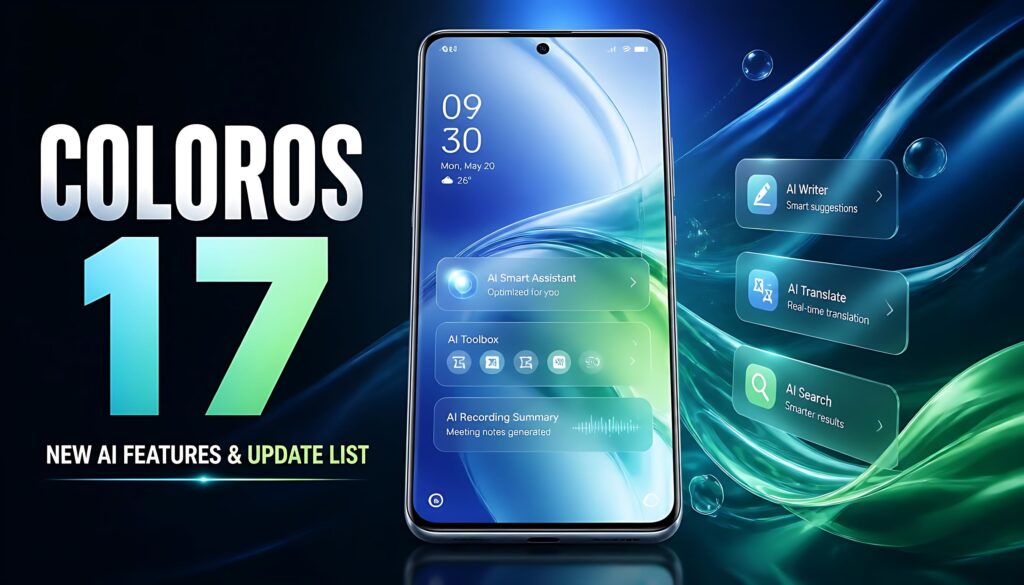
OPPO ColorOS 17: New Features, AI Tools, Performance Improvements, and Update List
OPPO has officially unveiled ColorOS 17, the latest version of its smartphone operating system. The update focuses on a redesigned user interface, smoother animations, more integrated artificial intelligence (AI), and improved privacy protections.
According to OPPO, ColorOS 17 will debut on the upcoming Find X10 Series before rolling out progressively to more OPPO devices worldwide. The company has also published an official rollout schedule covering selected Find, Reno, K, and F Series phones.
But what makes ColorOS 17 different, which phones are scheduled to receive it, and when can users expect the update? Here is everything you need to know.
OPPO ColorOS 17: Key Highlights
- New Living Flow Design: More fluid animations, translucent visuals, and responsive touch effects.
- Improved system performance: Updated rendering and resource-management technologies.
- More AI tools: AI Mind Pilot Agent Mode, AI Photo Agent, AI Mind Space, and OSee.
- Enhanced privacy: A Transparency Report, stronger cloud-processing protections, and AI-powered call-scam detection.
- Official rollout schedule: Selected OPPO Find and Reno models are listed for October and November 2026.
- Regional limitations: Some AI features will be available only in specific countries or regions.
What Is OPPO ColorOS 17?
ColorOS 17 is OPPO’s latest generation of mobile operating software. It builds on the smooth animations and system-level features introduced in earlier ColorOS versions while putting greater emphasis on AI-assisted tasks.
Rather than using AI only as a chatbot, OPPO wants its system to help users organize information, edit photographs, find saved content, and access relevant information at the right time.
The global announcement was published on October 13, 2026. OPPO says the Find X10 Series will be the first to introduce the new software, followed by a progressive rollout to additional devices.
Important: OPPO’s global announcement does not, by itself, confirm that every phone will receive the update on the same date or that every feature will be available in every market.
1. Living Flow Design: A More Fluid Interface
One of the biggest changes in ColorOS 17 is the new Living Flow Design. OPPO has developed it around three concepts: Luminous Effect, Fluid Motion, and Flexible Feedback.
Luminous Effect
The interface uses softer translucent elements, layered lighting, and visual effects that respond to user interactions. The goal is to make menus, controls, and notifications feel more connected without sacrificing readability.
Fluid Motion
Transitions between interface elements are designed to look more continuous. OPPO also highlights a Living Clock experience that moves naturally between the Always-On Display, Lock Screen, and Home Screen.
Flexible Feedback
Buttons, toolbars, and other interactive elements can compress, stretch, and rebound in response to touches. These small animations are intended to make the interface feel more responsive.
The design changes may be most noticeable when opening apps, navigating menus, interacting with notifications, and moving between screens. However, the real-world experience will depend on the phone model and final software implementation.
2. Performance Improvements and Smoother Multitasking
ColorOS 17 introduces a Unified Rendering Architecture built around OPPO’s updated Luminous Rendering Engine. It is designed to coordinate visual rendering more efficiently.
OPPO says that, in selected scenarios, the new architecture can reduce rendering load by up to 30% and rendering-related RAM usage by up to 25% compared with the previous generation.
The updated Laminar Flow Engine also manages foreground and background workloads. According to OPPO Lab, app-launch stability improves by up to 55%, Gallery thumbnails load up to 50% faster on first launch, and the system can retain more than 25% additional apps in the background.
OPPO also reports that its six-year simulated-use testing retained more than 90% of initial smoothness even when storage reached 90% capacity.
These figures are manufacturer-reported results, not independent benchmark findings. Actual performance may vary with hardware, storage conditions, installed apps, and usage patterns.
3. AI Mind Pilot Agent Mode
AI Mind Pilot receives a new Agent Mode designed to help users complete multi-step tasks.
According to OPPO, it can work with photos and files stored on the device, search across information sources, and organize content based on a user’s instructions. For example, it may help locate files, rename them according to their contents or dates, and turn saved information into outputs such as travel itineraries or webpages.
It can also find photos from a particular trip, sort them into albums, and prepare selected images for creative projects.
The main idea is to reduce the number of manual steps needed to manage digital information. Availability and supported actions may depend on the device, region, and software version.
4. AI Photo Agent for Easier Photo Editing
ColorOS 17 introduces AI Photo Agent, a tool designed to make photo editing more accessible.
Users can describe the changes they want in natural language or use a reference image to guide the editing style. Its Style Match feature can analyze a reference image’s color palette, tone, and overall mood, then apply a similar look to another photo.
The tool can also suggest adjustments based on the image’s subject and scene.
This could be useful for users who want to improve photographs without learning advanced editing software. However, OPPO says AI Photo Agent will roll out gradually across multiple countries, with European availability planned for a later date. Monthly usage limits may vary by region, and the announced feature supports static images.
5. AI Mind Space and Memory Collections
AI Mind Space is designed to help users save and retrieve useful information from different sources.
In ColorOS 17, it gains support for additional saved content, including documents and video links, with some capture features subject to regional restrictions. AI can recognize the content and help turn scattered information into searchable personal memories.
The new Memory Collections feature automatically groups related saved items into collections and summaries. OPPO also describes personalized travel planning that can combine saved information with destination maps.
For example, users researching a holiday could bring together saved places, notes, and ideas instead of searching through separate apps every time.
6. AI Mind Suggest and OSee
AI Mind Suggest aims to surface relevant information when it is useful. OPPO gives examples such as morning briefs, travel reminders, flight and train information cards, and music recommendations when headphones are connected.
Some services, including certain travel cards and Spotify recommendations, are limited to supported countries or regions.
OSee brings visual AI tools into a more integrated experience. By pointing the camera at an object or scene, users can access supported services such as object recognition, information lookup, nutrition analysis, high-definition scanning, and translation.
These features could make everyday tasks easier, but users should check which tools are enabled for their particular device and location.
7. Privacy and Security Improvements
ColorOS 17 also introduces several privacy and security features.
OPPO says its Private Computing Cloud uses end-to-end encryption for cloud-based AI processing and adds post-quantum security capabilities for data transmission. A new Transparency Report is designed to show which AI services have been used, when they were accessed, and what operations were performed.
The company also highlights AI Call Guard, which uses on-device detection to identify potential fraud risks involving synthetic voices and AI face swaps during calls.
These features provide additional layers of protection, but they should not be treated as a guarantee that every scam, manipulated image, or fraudulent call will be detected. Users should continue to verify suspicious requests independently.
8. OPPO ColorOS 17 Update Schedule: Eligible Phones
OPPO’s official global website lists the following models in its rollout schedule.
| Scheduled period | Listed devices |
|---|---|
| October 2026 | Find N6, Find N5, Find X9 Ultra, Find X9s, Find X9 Pro, Find X9, Find X8 Pro, Find X8, Reno16 Pro 5G, Reno16 5G, Reno16c 5G, Reno16 FS 5G, Reno16 F 5G |
| November 2026 | Find N3, Find N3 Flip, Reno15 Pro Max 5G, Reno15 Pro 5G, Reno15 Pro Mini 5G, Reno15 5G, Reno15 FS 5G, Reno15 F 5G, Reno15c 5G, Reno15 A, Reno14 Pro 5G, Reno14 5G, Reno14 5G Diwali Edition, Reno14 FS 5G, Reno14 F 5G, Reno14 F Dark Side Limited Edition, K14x 5G, K14 5G, K13x 5G, F33 5G, F31 5G, F29 5G |
Please note: This is a schedule of listed devices, not a guarantee that the update is already available for every phone in every country. Rollout timing can differ by market, device variant, and software approval. Check OPPO’s official ColorOS website for the latest schedule.
9. How to Check for the ColorOS 17 Update
If your phone appears on the official schedule, follow these steps when the update becomes available:
- Connect your phone to a stable Wi-Fi network.
- Charge the battery sufficiently before updating.
- Open Settings.
- Go to About device and look for the software update option.
- Check for available updates and follow the on-screen instructions.
The exact menu names may differ by device and software version. Back up important data before installing a major system update.
Avoid unofficial firmware packages or unfamiliar download links. Installing software intended for a different model or region may cause problems.
10. Is ColorOS 17 Worth Looking Forward To?
ColorOS 17 appears to focus on three main priorities: a more polished interface, AI features that can help with practical tasks, and improved control over personal information.
The redesigned animations may make everyday navigation feel more natural, while AI Mind Pilot and AI Mind Space aim to make saved information easier to use. The performance improvements could also benefit multitasking, although independent testing will be needed to establish how much difference users experience on individual devices.
The biggest caveat is availability. Not every OPPO phone is listed in the early rollout schedule, and several AI tools have regional restrictions. Users should therefore confirm their model’s eligibility before expecting a particular feature.
Frequently Asked Questions (FAQs)
1. Has OPPO officially announced ColorOS 17?
Yes. OPPO published its global announcement on October 13, 2026.
2. Which phone will launch with ColorOS 17?
OPPO says ColorOS 17 will debut on the upcoming Find X10 Series.
3. When will the ColorOS 17 update arrive?
The official schedule lists selected devices for October and November 2026. Actual availability can vary by country, device, and software variant.
4. Which OPPO phones are scheduled to receive ColorOS 17 first?
The October list includes selected Find N, Find X, and Reno16 Series models. Check the official rollout page for the full and latest list.
5. What are the main ColorOS 17 features?
Key features include Living Flow Design, updated rendering and resource management, AI Mind Pilot Agent Mode, AI Photo Agent, AI Mind Space, AI Mind Suggest, OSee, and additional privacy protections.
6. Does ColorOS 17 improve performance?
OPPO reports improvements in rendering efficiency, app-launch stability, Gallery loading, and background app retention. These figures come from OPPO Lab and may not represent every device’s real-world performance.
7. Will all ColorOS 17 AI features be available worldwide?
No. OPPO identifies regional restrictions for several features. Availability, usage limits, and supported services may vary by country.
8. How can I download ColorOS 17?
Use your phone’s built-in software update settings when the update is officially available for your model. Do not install firmware from unverified sources.
9. Is ColorOS 17 the same as Android 17?
The name ColorOS 17 alone does not confirm the underlying Android version. Check the official specifications or update information for your particular device before assuming which Android version it uses.
Final Verdict
OPPO ColorOS 17 is a substantial software update focused on smoother interactions, more useful system-level AI, and stronger visibility into how AI features handle data. Its Living Flow Design and new AI tools could make everyday phone use more convenient, particularly for people who frequently manage files, save information, edit photos, or multitask.
However, the practical benefits will depend on device compatibility, regional availability, and how the features perform outside OPPO’s own testing. If your phone is eligible, the update is worth watching—but confirm the rollout through OPPO’s official website rather than relying on an estimated date alone.